4 min read
Why Your Business Website Gets Visitors but No Customer Inquiries
Visitors but no inquiries? It is usually one of five fixable problems. A practical checklist to turn the traffic you already have into customer inquiries.
NNebula Webtech
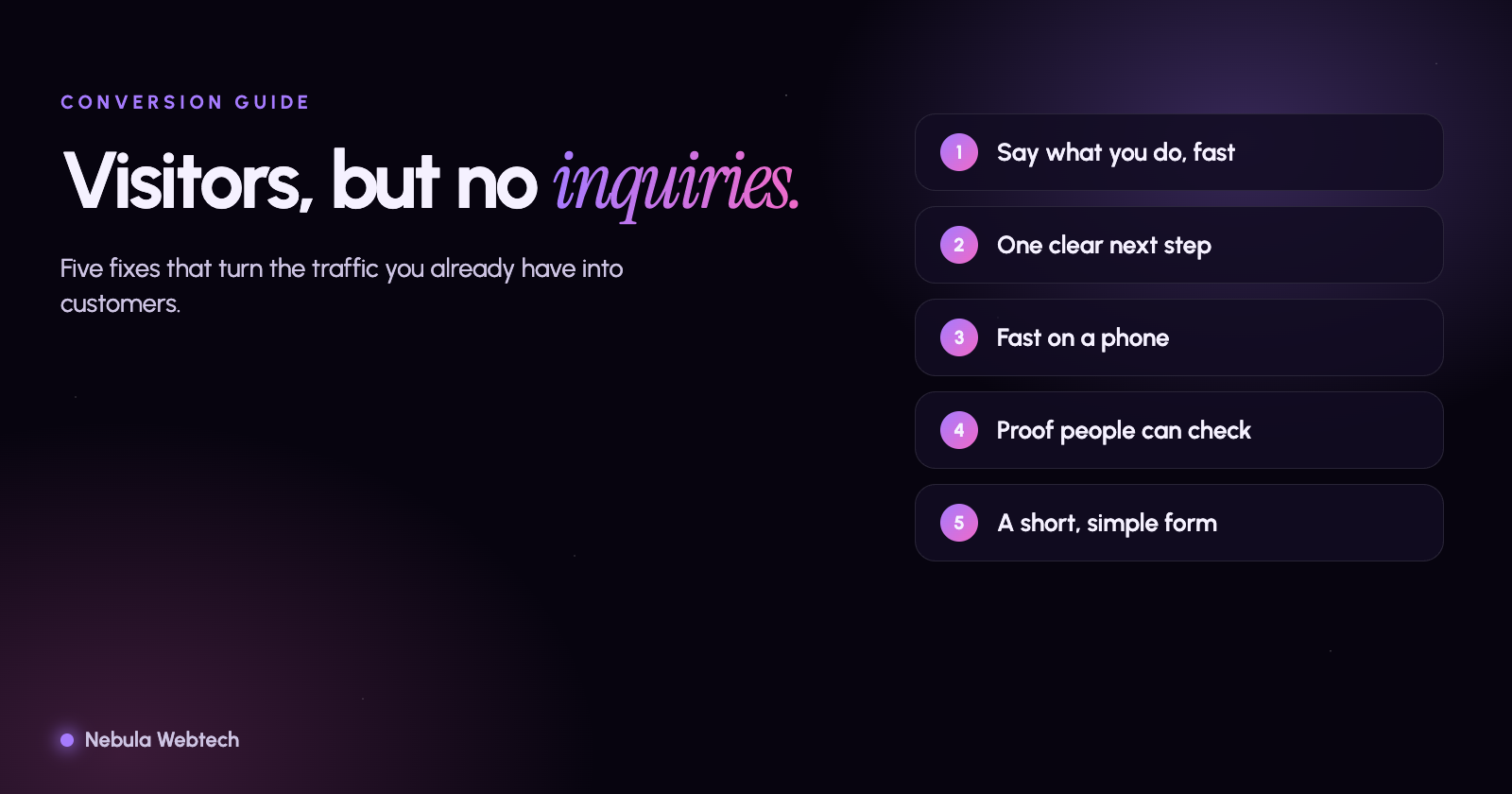
If your website gets visitors but no inquiries, the problem is almost never traffic. It is usually one of five things: the page does not say clearly what you do and who it is for, the next step is hard to find, the site is slow or awkward on a phone, visitors do not see enough proof to trust you, or the contact form creates friction. Fix those in that order and the same visitors start getting in touch.
Short answer: Visitors leave without inquiring when they cannot answer three questions within a few seconds: Is this for me? Can I trust them? What do I do next? A website that answers all three, quickly and on a phone, converts the traffic it already has.
How do you know it is a conversion problem and not a traffic problem?
Look at two numbers in Google Analytics and Google Search Console before you change anything:
- Visits to your key pages. If your service and contact pages get steady visits, people are finding you.
- Actions taken. Count form submissions, phone taps and email clicks over the same period.
If visits are healthy and actions are close to zero, you have a conversion problem. If both are low, start with search visibility instead. Mixing the two up is the most common reason businesses spend money on advertising for a site that cannot convert it.
Why do visitors leave without contacting you?
The page does not say what you do
A visitor decides quickly whether a page is relevant. A headline such as "Welcome to our website" or "Excellence in everything" tells them nothing. A headline such as "Emergency plumbing in Palatine, available 24 hours" tells them they are in the right place. Put your service, your location and your main benefit in the first screen, in plain words.
The next step is hidden or unclear
Many sites have one small "Contact" link in the menu and nothing else. Give every page a clear primary action: a button that says "Request a quote" or "Book a consultation", repeated after each major section. Keep one main action per page so visitors are not choosing between six.
The site is slow or awkward on a phone
Google measures real-world page experience with Core Web Vitals. Its published "good" thresholds are a Largest Contentful Paint of 2.5 seconds or less, an Interaction to Next Paint of 200 milliseconds or less, and a Cumulative Layout Shift of 0.1 or less. A site that misses these often feels slow, jumpy or unresponsive, which is exactly when a visitor gives up. You can test any page for free with PageSpeed Insights.
Check the basics on your own phone: Can you tap every button without zooming? Does the phone number call when you touch it? Does a cookie banner or pop-up cover the page?
There is not enough proof
People hire businesses they trust. Show what is true and checkable:
- Real reviews, with the platform named
- Licenses, insurance and certifications you actually hold
- Photos of your own work and your own team
- A physical address, a local phone number and clear business hours
- Specific details about how you work, not adjectives
Do not use stock photos of people pretending to be your staff, and never invent testimonials. Visitors notice, and so does Google's quality guidance, which rewards content that shows real experience and trustworthiness.
The form asks too much
Every extra field costs you inquiries. For most service businesses, name, phone or email, and a short message is enough. Say what happens after they submit ("We reply within one business day"), and confirm the submission on screen. See our guide to what to measure before you rebuild a website for how to test a form before launch.
A 30-minute check you can do today
- Open your home page on your phone. Can a stranger tell what you do in five seconds?
- Tap every button and link. Does anything fail or sit too close to another?
- Find your phone number. Is it a tap-to-call link?
- Submit your own contact form. Did you get the email, and how long did it take?
- Count what proves you are real: reviews, photos, address, credentials.
- Run the page through PageSpeed Insights and note the three Core Web Vitals.
Write down what you find. Fix the first two items before anything else, because they cost the most inquiries.
Frequently asked questions
How long should it take to see more inquiries after fixes?
Changes to a headline, button or form can show up in your numbers within a few weeks, because they affect the visitors you already have. Search ranking changes take longer, and nobody can promise a timeline.
Do I need a redesign?
Often you do not. Many sites convert much better after clearer headlines, a visible call to action, faster images and a shorter form. A redesign makes sense when the structure itself blocks those fixes. Our redesign checklist explains how to decide.
Is more traffic the answer?
Not until the site converts. More visitors to a page that does not convert only increases your advertising bill.
Get a clear picture of your own site
If you would like an experienced second opinion, run the free Website and SEO audit to see the technical and on-page issues on your site, or request a website consultation and we will look at where your visitors are dropping off.
- Conversion
- Web design
- Small business